
How to Get More Google Reviews for Your Small Business (Without Being Pushy)
Most business owners know they need more Google reviews. Most also feel a bit awkward asking for them. It can feel like begging, or like you’re pestering someone who already paid you.
It doesn’t have to. People are usually glad to help a business they liked, as long as the ask is short, polite and easy to act on. Here’s how I’d go about it, step by step, with wording you can borrow.
Why It’s Worth the Effort
Reviews do two jobs. They help Google decide which businesses to show near the top of local results, and they help a stranger decide whether to call you or the business next to you. A profile with recent, honest reviews looks alive. One with three reviews from two years ago looks forgotten.
Step 0: Get Your Review Link
Before you ask anyone, grab your direct review link. Open your Google Business Profile, look for the option to get more reviews or share a review form, and copy the link. When a customer taps it, the review box opens straight away, with no searching for your business.
Everything below depends on that link, so test it on your own phone first.
1. Ask in Person at the Right Moment
The best time to ask is right after something has gone well: the job is finished, the customer says thanks, or they’ve just said “that looks great.” That’s when they feel good about you.
Keep it casual:
“I’m glad that worked out. If you have a minute, a Google review would really help us. I can text you the link now.”
Offering to send the link right there is the key part. It turns a vague favor into a ten-second task.
2. Send a Text the Same Day
Plenty of people will say yes in person and then forget. A short text while the experience is fresh fixes that.
“Hi [Name], thanks for choosing [Business] today. If you have a moment, we’d love your feedback on Google: [link]. It helps other people find us.”
Use your own name or the owner’s name as the sender if you can. A message from a person gets more replies than one from a company.
3. Put a QR Code Where People Already Are
If customers come to you, make the ask visible. Print a small QR code that links to your review page and place it:
- at the reception desk or checkout
- on appointment cards and receipts
- on a small card handed over with the finished job
- on the back of your business card
A short line works well beside it: “Enjoyed your visit? Tell us on Google.”
4. Add the Link to Messages You Already Send
You’re already emailing invoices, confirmations and thank-you notes, so put the link at the bottom of them. Add it to your email signature too. It costs nothing, and it reaches people without any extra effort on your part.
5. Send One Reminder, Then Stop
If someone doesn’t respond to your first message, one gentle nudge a few days later is fine. After that, let it go.
“Hi [Name], just a quick reminder in case you missed our message. If you’re happy to leave a review, here’s the link: [link]. No worries if not, and thanks again!”
Asking a third or fourth time is where friendly turns into pushy.
6. Make the Review Easy to Write
Many people want to help and then freeze at an empty box. A small prompt takes the pressure off:
“A line or two about what you came in for and how it went is plenty.”
Don’t tell them what to say or write the review for them. Their own words are what make it believable.
7. Get Your Team Involved
Reviews often depend on the people who deal with customers every day. Give your staff the link, a simple line to use, and a clear idea of when to ask. Mention it in team meetings, and share the good reviews with the people they name. When employees see reviews appreciated, they remember to ask.
8. Reply to Every Review
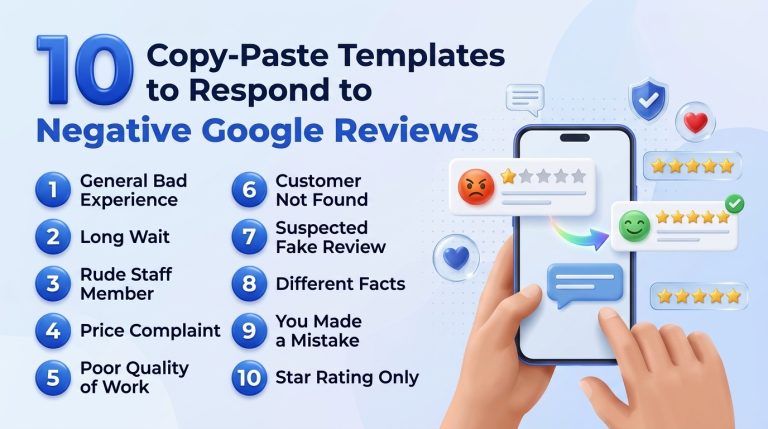
Thank people for good reviews in a sentence or two, and mention something specific when you can. For the bad ones, stay calm and offer to sort things out offline. Replying shows future customers that someone is paying attention, and it makes people more willing to leave a review next time.
Rules to Stay on the Right Side of Google
Some shortcuts can get your reviews removed or your profile in trouble:
- Don’t offer rewards. Discounts, free gifts or entries into a draw in exchange for reviews are against Google’s rules.
- Don’t filter who you ask. Sending the link only to customers you think will be happy, and steering unhappy ones elsewhere, is called review gating, and Google doesn’t allow it. Ask everyone and accept what comes back.
- Don’t write your own. Reviews from you, your staff or your family don’t count as real customer feedback and can be taken down.
- Don’t buy reviews. It breaks the rules, and customers can often spot them.
Google updates its policies from time to time, so read its current review guidelines before you build a system around any of this.
What Pushy Looks Like
If you’re unsure where the line is, ask yourself whether you’d mind receiving the message. These are the usual mistakes:
- asking before the customer has received what they paid for
- sending several reminders
- making them feel guilty (“we really need five stars”)
- sending a long message with several steps
- asking in front of other customers
Keep It Steady
A burst of 20 reviews in one week and then nothing for months looks odd. A steady trickle, even just a few a week, looks natural and keeps your profile fresh. Pick one or two of the methods above, make them a habit, and add another when the first feels routine.
If you’d rather have this set up for you, I build review request systems that send the right message at the right time, so asking never depends on someone remembering. Get in touch and tell me how you work with customers today.